
Your gaming PC used to crush everything you threw at it. Now it’s struggling with games that should run smoothly, frame rates are inconsistent, and load times have gotten painful. Before you start shopping for a whole new rig, let’s talk about what’s actually going on—and what you can do about it.
Why Gaming PCs Slow Down
Gaming computers are high-performance machines, and high-performance machines have more ways to develop problems than basic office computers. Understanding what’s happening is the first step toward fixing it.
Thermal throttling is one of the most common culprits. When your CPU or GPU gets too hot, it automatically slows down to prevent damage. This was designed as a safety feature, but it means your expensive hardware isn’t performing at its potential. Dust buildup, dried-out thermal paste, and inadequate cooling can all cause thermal issues that weren’t there when your system was new.
Storage bottlenecks hit hard in gaming. If you’re still running games off a traditional hard drive, you’re waiting for data that an SSD could deliver almost instantly. Even if you have an SSD, a nearly-full drive performs worse than one with breathing room. And older SATA SSDs can’t match the speed of modern NVMe drives.
RAM limitations become obvious when games start stuttering during complex scenes or when alt-tabbing takes forever. Modern games want 16GB minimum, and some titles push toward 32GB. If you built your system when 8GB was plenty, you’re feeling it now.
Software bloat accumulates over time. Background processes, startup programs, outdated drivers, and Windows updates that didn’t quite go right all take their toll. Your hardware might be fine—it’s everything else that’s dragging it down.
Quick Wins You Can Try Yourself
Before bringing your system in for service, there are some things worth trying at home.
Check your temperatures while gaming using a monitoring tool like HWiNFO or MSI Afterburner. If your CPU or GPU is hitting 90°C or higher under load, thermal management is your problem. Sometimes this is as simple as cleaning dust from your fans and filters—a can of compressed air and ten minutes can make a real difference.
Look at your storage situation. How full is your primary drive? Anything over 80% full is going to impact performance. Moving games to a secondary drive or uninstalling things you’re not playing can help.
Update your graphics drivers. NVIDIA and AMD release optimizations for new games regularly, and running outdated drivers means missing out on free performance.
Check what’s running in the background. Open Task Manager, sort by CPU and memory usage, and see what’s consuming resources. You might find software you forgot you installed, updaters for programs you never use, or multiple browser instances eating RAM.
When DIY Isn’t Enough
Sometimes the problems run deeper than cleaning and software tweaks can fix. That’s where professional diagnosis comes in.
At RazorBass Technical Service Center, our gaming computer repair service goes beyond basic troubleshooting. We diagnose exactly what’s limiting your performance and give you honest options—whether that’s repair, targeted upgrades, or an honest conversation about whether your current hardware can do what you’re asking of it.
Thermal problems might require more than dusting. Reapplying thermal paste, improving case airflow, or upgrading cooling solutions can drop temperatures significantly and unlock performance your system always had but couldn’t sustain.
Hardware failures don’t always announce themselves dramatically. A graphics card with failing memory might work fine for desktop use but artifact or crash under gaming load. RAM with errors might only show problems in memory-intensive scenarios. Proper diagnostic testing can identify components that are failing before they fail completely.
Strategic Upgrades That Actually Matter
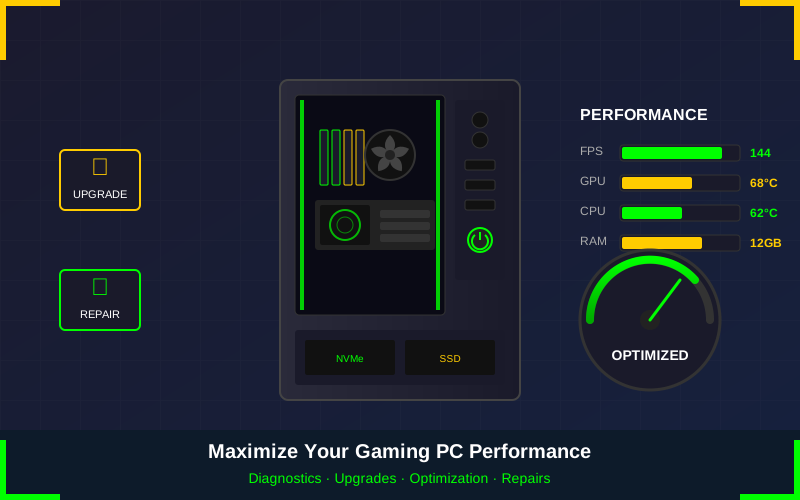
Not all upgrades deliver equal value. Some changes transform your experience; others barely register. Here’s where your money makes the biggest difference.
If you’re still on a hard drive for your games, an SSD upgrade is the single best investment you can make. Load times that took minutes become seconds. Level transitions that broke immersion become seamless. This upgrade is noticeable immediately and makes the whole system feel faster, not just games.
A RAM upgrade makes sense if you’re at 8GB or if you’re seeing memory pressure in your monitoring tools. Going from 8GB to 16GB is transformative. Going from 16GB to 32GB matters for specific scenarios—streaming while gaming, heavy modding, or playing particularly demanding titles.
Graphics card upgrades deliver the most dramatic gaming improvements but also cost the most. Before upgrading your GPU, make sure it’s actually the bottleneck. A new graphics card paired with an old CPU might not perform much better because the CPU can’t keep up. We can help you identify where your actual bottleneck is before you spend money.
The Software Side
Hardware is only part of the equation. A clean, optimized Windows installation runs games better than one cluttered with years of accumulated software.
Sometimes the best solution is a fresh start. Our OS installation service can give you a clean Windows install, properly configured with current drivers and optimized settings. You’d be surprised how much performance gets left on the table by bloated, aging Windows installations.
We also make sure your system isn’t harboring anything it shouldn’t be. Gaming PCs are targets for cryptominers and other malware because of their powerful hardware. If your GPU is secretly mining cryptocurrency for someone else, your gaming performance suffers while your electricity bill climbs.
Building a Gaming PC That Lasts
Whether you’re upgrading an existing system or planning a new build, thinking about longevity saves money in the long run.
Invest in good cooling from the start. It costs more upfront but means better sustained performance and longer component life. A system that runs cool runs fast and lasts longer.
Leave room for upgrades. A motherboard with extra RAM slots and M.2 slots gives you options. A power supply with headroom for a beefier graphics card means you won’t need to replace it when you upgrade.
Don’t neglect maintenance. Annual cleaning and checkups catch problems before they become expensive. Thermal paste doesn’t last forever. Fans wear out. Catching these things early keeps your system running at its best.
Get Your Gaming PC Running Right
Whether your system needs diagnosis, cleaning, repairs, or strategic upgrades, RazorBass Technical Service Center can help. We’re gamers ourselves—we understand that performance matters and that your gaming PC is more than just a computer.
Contact us to schedule a gaming PC assessment. We’ll identify what’s holding your system back and give you honest options for getting it running the way it should.
Phone: (479) 222-1986
Email: hello@razorbasstsc.com
Web: www.razorbasstsc.com
Related Services
Gaming Computer Repair · Computer Upgrades · Memory Upgrade · Virus & Malware Removal


